

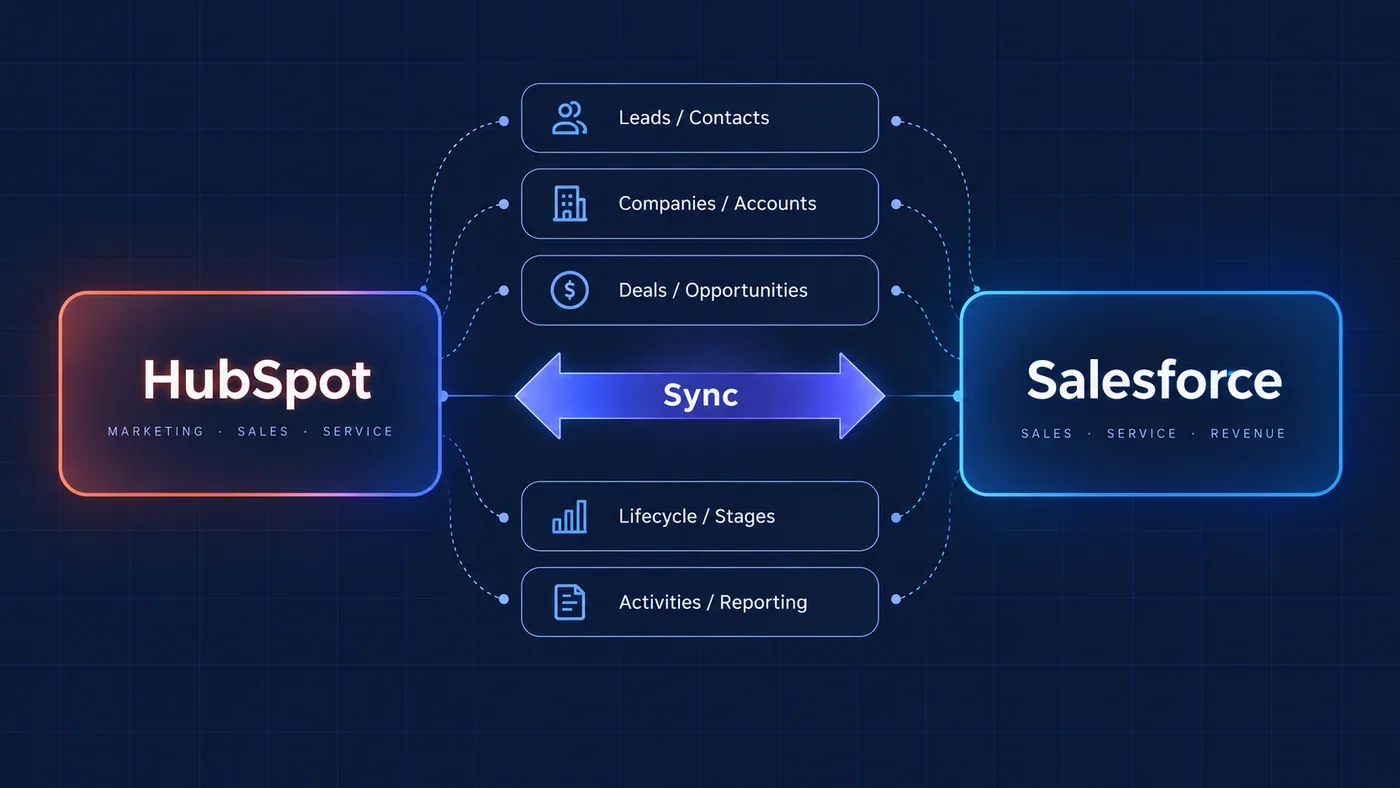
Migration, integration or both?
Short answer: choose migration when HubSpot should become the primary CRM, integration when both platforms have a defined role, and coexistence only when ownership rules are explicit.
Companies reach the HubSpot-Salesforce question from different directions. Some want to retire Salesforce and consolidate around HubSpot. Others use HubSpot for marketing while Salesforce remains the sales CRM. Some need both platforms because different teams depend on different workflows.
The decision is less about which platform is better and more about where contacts, companies, opportunities, lifecycle stages, ownership and automation should live.
Retire Salesforce and make HubSpot the primary CRM.
Keep both systems operational with controlled data synchronization.
Separate responsibilities and define explicit ownership rules.
Migrate to HubSpot
Migration makes sense when the organisation has decided to consolidate CRM operations in HubSpot: one customer platform, fewer systems, or a Salesforce setup that has become too complex for the way the business now works.
A proper migration covers object mapping, properties, associations, pipelines, lifecycle stages, historical data, automation, reporting and validation. The important work is deciding what each record means, how relationships should be preserved and which processes need to be rebuilt around the new structure.
Integrate HubSpot and Salesforce
Integration is common when HubSpot captures demand, manages forms, nurturing and website activity, while Salesforce remains responsible for sales activity, opportunities and forecasting.
The integration must define which records sync, sync direction, field ownership, when HubSpot creates Salesforce records, how opportunities map to deals, how lifecycle changes return to HubSpot and how failures are handled.
Run both systems
Using both systems is reasonable when responsibilities are clearly separated. HubSpot might run Marketing Hub, Content Hub, forms, lead nurturing and attribution, while Salesforce handles enterprise sales, account structures, opportunities and forecasting.
Coexistence works when teams know which system owns each process and data point. It should not duplicate every process; it should place each process where it belongs and synchronize only what the other system genuinely needs.
Designing the data architecture
Before any connector is configured, the CRM architecture needs explicit rules that marketing, sales, operations and leadership can understand.
SOURCE OF TRUTH
Which platform owns each type of information?
OBJECT MAPPING
Contacts ↔ Leads / Contacts. Companies ↔ Accounts. Deals ↔ Opportunities.
FIELD MAPPING
Define which properties synchronize and in which direction.
LIFECYCLE & PIPELINE LOGIC
HubSpot lifecycle stages and Salesforce opportunity stages are different concepts and should not simply be mapped without business logic.
OWNERSHIP & ROUTING
Define when ownership changes and how records move between marketing and sales.
ERROR HANDLING
Decide how sync errors, missing associations and duplicate records are detected and resolved.
A typical HubSpot-Salesforce architecture
WEBSITE
- Visitor intent
- Forms
- Conversion points
HUBSPOT
- Forms
- Marketing
- Lead scoring
- Qualification
SYNC LAYER
- Field mapping
- Routing rules
- Validation
SALESFORCE
- Sales process
- Accounts
- Opportunities
- Forecasting
HUBSPOT
- Lifecycle updates
- Nurture
- Reporting
- Customer marketing
The connector is only one layer of the architecture. Qualification, ownership, mapping, validation and automation sit around it and determine whether the integration supports the business or simply moves messy data faster.
Field mapping, routing rules and validation should be designed as part of the operating model, not treated as afterthoughts during configuration.
Common HubSpot-Salesforce integration mistakes
Most integration problems come from unclear ownership, excessive synchronization or business rules that were never translated into technical logic.
SYNCING EVERYTHING
More synchronized fields do not automatically create a better integration.
BIDIRECTIONAL SYNC EVERYWHERE
Two-way synchronization can create unclear ownership and unexpected overwrites.
NO SOURCE OF TRUTH
Teams need to know which system owns each important data point.
MAPPING STAGES DIRECTLY
HubSpot lifecycle stages and Salesforce opportunity stages represent different parts of the customer journey.
IGNORING DUPLICATES
Company, account, contact and lead duplication can quickly damage reporting and automation.
INSTALLING THE CONNECTOR BEFORE DESIGNING THE PROCESS
Technical connectivity should follow the business architecture, not define it.
How to decide
| Situation | Likely architecture |
|---|---|
| Salesforce is being retired | Migrate to HubSpot |
| HubSpot runs marketing and Salesforce runs sales | Integrate |
| Complex enterprise sales must remain in Salesforce | Run both |
| Existing synchronization creates inconsistent data | Redesign the integration |
| The company wants one CRM and one customer data model | Migration |
| Different teams need different platforms | Integration / coexistence |
The final architecture depends on the organisation’s processes, data model, reporting requirements, technical dependencies and where teams need trusted customer data.
How we approach HubSpot-Salesforce projects
UNDERSTAND
Map the current CRM architecture, teams, data and processes.
DESIGN
Define objects, ownership, mappings, lifecycle logic and source-of-truth rules.
BUILD
Configure migration or synchronization logic, automation and integrations.
VALIDATE
Test records, associations, workflows, reporting and edge cases before rollout.
